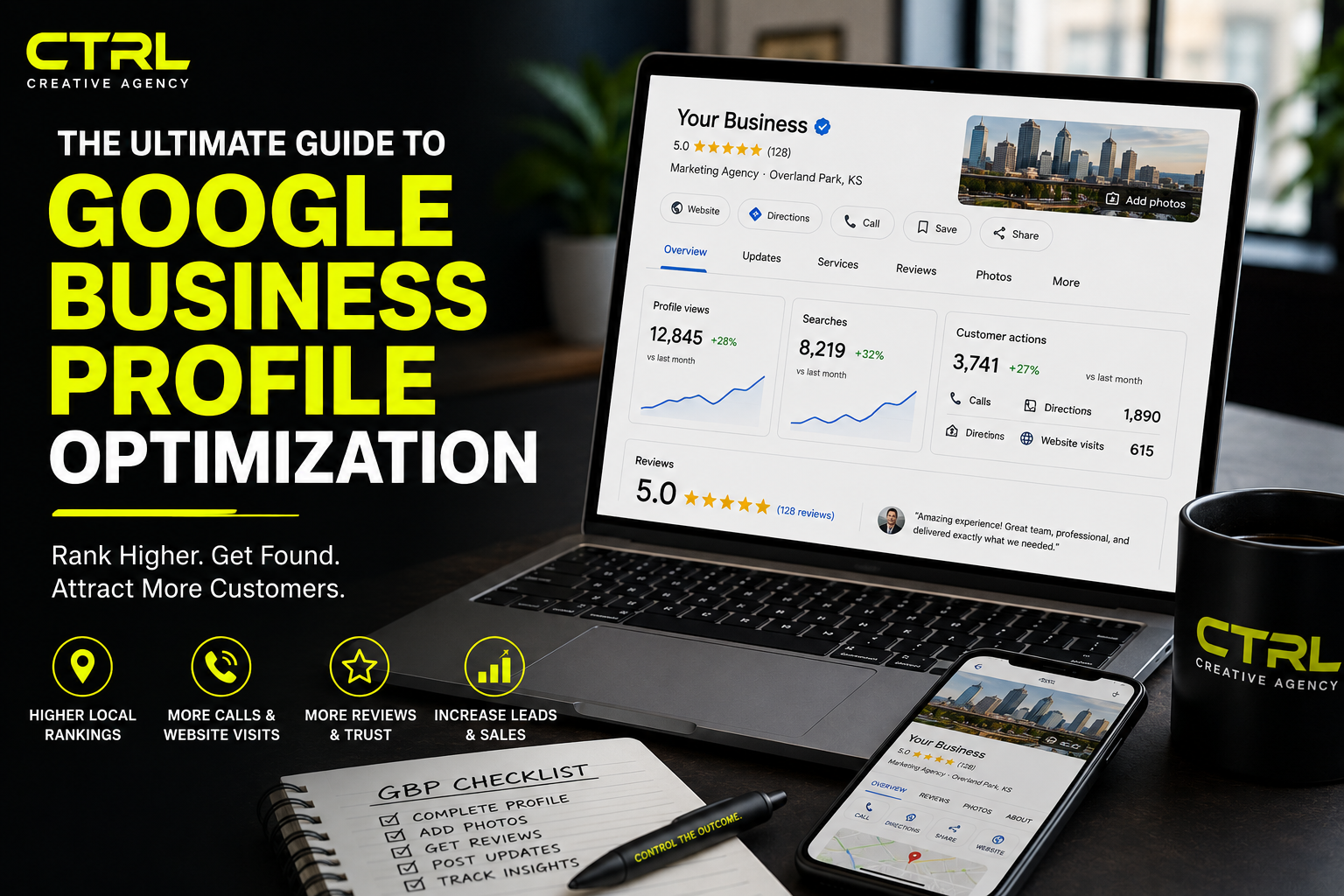

When someone searches for a business like yours, where do they look first?
For most consumers, the answer is Google.
Whether they’re searching for a chiropractor, restaurant, contractor, realtor, photographer, or marketing agency, the businesses that appear in Google’s local results receive the majority of clicks, phone calls, website visits, and direction requests.
That’s why your Google Business Profile (formerly Google My Business) is one of the most valuable marketing tools your business owns—and it’s completely free.
If you’re not actively optimizing it, you’re leaving customers for your competitors.
This guide walks you through everything you need to know to maximize your visibility and generate more leads through Google.
What Is a Google Business Profile?
A Google Business Profile (GBP) is the business listing that appears when someone searches for your company or businesses like yours on Google Search and Google Maps.
It displays important information including:
- Business name
- Phone number
- Website
- Address
- Hours of operation
- Reviews
- Photos
- Services
- Products
- FAQs
- Updates
- Directions
For many businesses, your Google Business Profile is the first impression customers have before they ever visit your website.
Why Google Business Profile Matters
Google prioritizes businesses that provide accurate, complete, and active information.
A well-optimized profile can help you:
- Rank higher in local searches
- Receive more phone calls
- Increase website traffic
- Generate more direction requests
- Build trust through reviews
- Showcase your work
- Improve local SEO
- Generate qualified leads without paying for ads
If your competitors are investing time into their profiles and you’re not, they’re likely winning customers before you even have the opportunity.
Step 1: Complete Every Section
One of the biggest mistakes businesses make is leaving information blank.
Complete every field available.
Include:
✔ Business Name
✔ Primary Category
✔ Secondary Categories
✔ Business Description
✔ Phone Number
✔ Website
✔ Appointment Link
✔ Service Areas
✔ Hours
✔ Holiday Hours
✔ Attributes
✔ Products
✔ Services
✔ FAQs
Google rewards businesses that provide complete information.
Step 2: Choose the Right Categories
Your primary category has a major impact on where your business appears.
For example:
Marketing Agency
Digital Marketing Agency
Advertising Agency
Photography Service
Construction Company
Chiropractor
Roofing Contractor
Restaurant
Then add secondary categories that accurately describe additional services.
Avoid selecting categories that don’t accurately represent your business.
Step 3: Write a Keyword-Rich Business Description
Your business description should naturally include:
- Services
- Industries served
- Service locations
- What makes you unique
Example:
“CTRL Creative Agency helps businesses throughout Kansas City grow through SEO, website design, branding, commercial photography, video production, drone services, and digital marketing strategies that generate measurable results.”
Avoid keyword stuffing.
Write for people first.
Step 4: Upload Professional Photos
Businesses with high-quality photography receive significantly more engagement than those using outdated or low-quality images.
Include:
- Team photos
- Building exterior
- Interior
- Products
- Services
- Before-and-after projects
- Events
- Behind-the-scenes content
- Customer experience
- Staff at work
Continue adding fresh images regularly.
Google likes active profiles.
Step 5: Add Videos
Most businesses overlook video.
Upload:
- Business walkthroughs
- Team introductions
- Project highlights
- Customer testimonials
- Drone footage
- Time-lapse videos
- Product demonstrations
Video increases engagement and helps customers build trust before contacting your business.
Step 6: Get More Google Reviews
Reviews are one of Google’s strongest local ranking factors.
Develop a system for requesting reviews after every successful project.
Respond to every review.
Both positive and negative.
When replying:
- Thank customers
- Mention the service they received
- Include natural keywords when appropriate
Example:
“Thank you for trusting us with your commercial drone photography project. We appreciate the opportunity to help your construction team document progress.”
Google notices active engagement.
Step 7: Publish Google Posts Every Week
Google Posts function like social media updates directly on your Business Profile.
Post weekly:
- Promotions
- Events
- New blogs
- Project highlights
- Community involvement
- Seasonal offers
- Business updates
- New products
Each post helps demonstrate that your business is active.
Step 8: Answer Questions Before They’re Asked
Use the Questions & Answers section strategically.
Examples:
Do you offer free consultations?
What areas do you serve?
How soon can appointments be scheduled?
Do you provide emergency services?
Can businesses request custom quotes?
Answering these questions saves time and improves customer confidence.
Step 9: Keep Your Information Updated
Nothing damages trust faster than inaccurate information.
Regularly verify:
- Hours
- Phone number
- Website
- Services
- Photos
- Staff
- Holiday schedules
Consistency across every platform improves your local SEO.
Step 10: Track Performance
Google Business Profile provides valuable analytics including:
- Search terms customers used
- Website clicks
- Phone calls
- Direction requests
- Photo views
- Profile views
Review this data monthly.
Identify what’s working and adjust your marketing strategy accordingly.
Common Google Business Profile Mistakes
Avoid these common errors:
❌ Incomplete profile
❌ Poor-quality photos
❌ Inconsistent business information
❌ Ignoring reviews
❌ Never posting updates
❌ Wrong business categories
❌ No service descriptions
❌ Keyword stuffing
❌ Outdated hours
❌ Forgetting holiday hours
The Bottom Line
Your Google Business Profile is one of the most powerful—and underutilized—marketing assets available to small businesses.
A fully optimized profile increases visibility, builds trust, improves local SEO, and generates more qualified leads without requiring a massive advertising budget.
Whether you’re a contractor, chiropractor, restaurant owner, realtor, photographer, or local business owner, investing time into your Google Business Profile can produce long-term results that compound over time.
At CTRL Creative Agency, we help businesses optimize their Google Business Profiles, create professional content, improve local SEO, and develop digital strategies that turn online searches into paying customers.
If you’re ready to increase your visibility and dominate local search results, let’s build a strategy that helps your business stand out.
Control The Outcome.
Leave a Reply